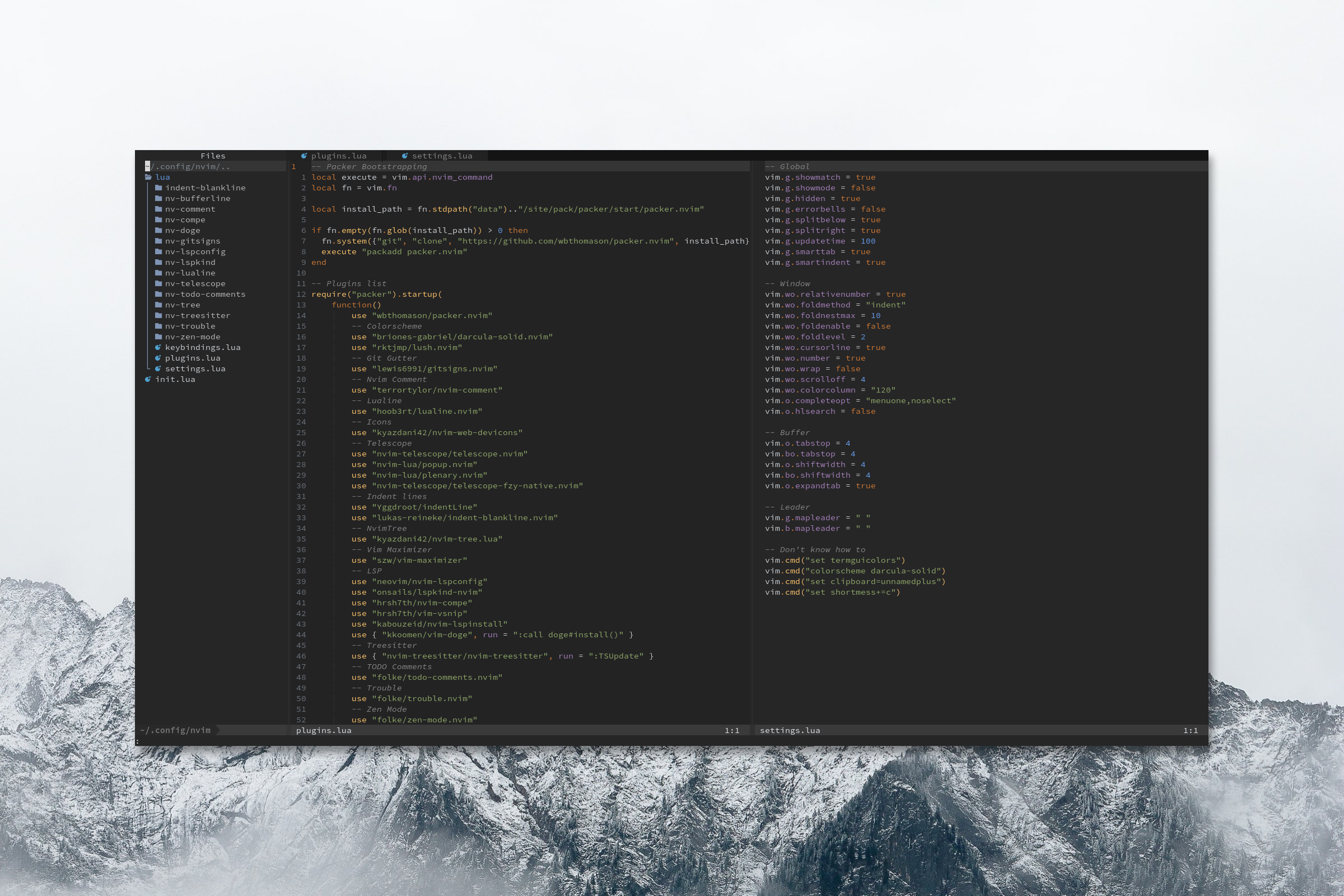
A color scheme for those who love the IntelliJ style but prefer the Neovims feel.
 49e63fc544
Added comprehensive Tree-sitter capture group support to ensure full compatibility with the latest nvim-treesitter standards. This includes all modern capture groups and maintains backward compatibility with legacy groups. New capture groups added: - Extended @keyword.* groups (coroutine, import, type, modifier, debug, conditional.ternary, directive, directive.define) - @comment.note for note-style comments - Extended @string.* groups (regexp, special.symbol, special.url, special.path) - @character.special for special characters - @number.float as modern alias for @float - @function.method and @function.method.call for explicit method highlighting - @variable.parameter.builtin for special built-in parameters - @attribute.builtin for built-in attributes - @punctuation.special for string interpolation and special symbols - @module.builtin for built-in modules - Full @markup.* group set (strong, italic, strikethrough, underline, heading.1-6, quote, math, link.*, raw.*, list.*) - @diff.* groups (plus, minus, delta) for version control - Special captures: @none, @conceal, @spell, @nospell Legacy groups retained for backward compatibility with older Tree-sitter versions. All new groups follow the official nvim-treesitter standard as documented in the CONTRIBUTING.md highlights specification. |
||
|---|---|---|
| colors | ||
| lua/lush_theme | ||
| resources | ||
| README.md | ||

Darcula-solid.nvim
A color-scheme that was heavily inspired by the JetBrains IntelliJ IDEA default theme, but was carefully refined to bring a more pleasant, aesthetic, and contrasting experience to our beloved Neovim.
✨ Features
- Treesitter support
- NvimTree support
- 256 colors
- Beautiful contrasting (IntelliJ like) colors
⚡ Requirements
termguicolorsenabled for true color support- (recommended) Neovim 0.5
- (recommended) Treesitter
📦 Instalation
With Packer
use { "briones-gabriel/darcula-solid.nvim", requires = "rktjmp/lush.nvim" }
With Plug
Plug 'briones-gabriel/darcula-solid.nvim'
Plug 'rktjmp/lush.nvim'
Or you can use your favorite plugin manager.
🔧 Configuration
In your init.vim:
colorscheme darcula-solid
set termguicolors
Or in init.lua:
vim.cmd 'colorscheme darcula-solid'
vim.cmd 'set termguicolors'
And because the plugin is build with Lush, you can freely copy and edit the color-scheme to fit your needs.
How to customize
- Create a
colorsdirectory if it doesn't exist at~/.config/nvim/colors. - Create a file for the modified theme: e.g
~/.config/nvim/colors/darcula-solid-custom. - Set your modifications:
vim.opt.background = 'dark'
vim.g.colors_name = 'darcula-solid-custom'

local lush = require('lush')
local darcula_solid = require('lush_theme.darcula-solid')
local spec = lush.extends({darcula_solid}).with(function()
  -- Your modifications go here...
  -- Pallete copied from https://github.com/briones-gabriel/darcula-solid.nvim/blob/main/lua/lush_theme/darcula-solid.lua
  local yellow  = lush.hsl(37, 100, 71)

  return {
    Type { fg = yellow },
    Function { fg = darcula_solid.Normal.fg },
  }
end)

lush(spec)
- In your config file (e.g. ~/.config/nvim/init.lua) set the theme to your custom one as follows:
vim.cmd("colorscheme darcula-solid-custom")
A big thanks to @rorystephenson for suggesting this amazing idea! ♥️
Preview